Typography
If we want to do in-depth customization of the Share Button and Pop-Up texts to match our Shopify store, then Typography is the go-to section. To access the customization options, we have to visit the Share Cart Dashboard, go to Design module > Typography, and click on the drop-down menu.
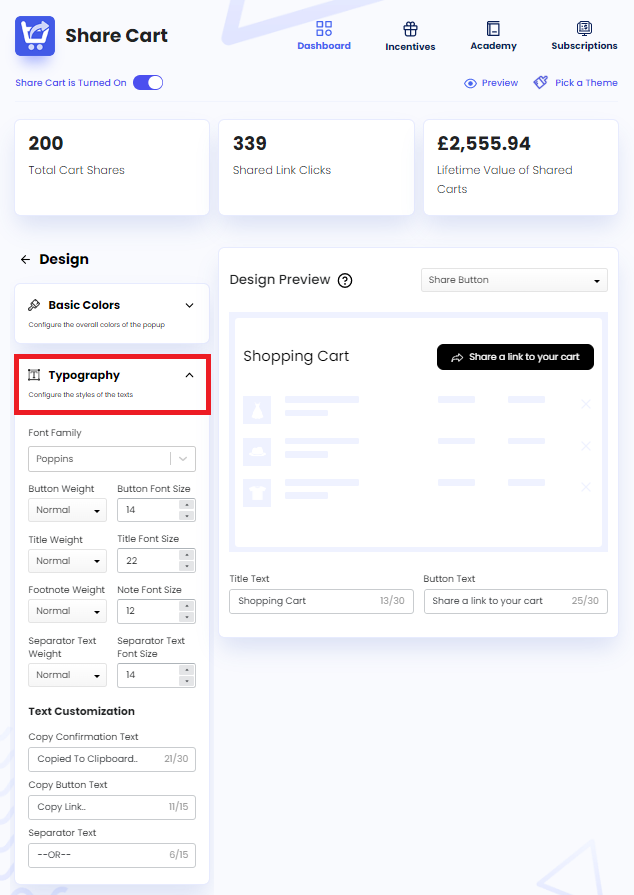
Under Typography, we can find the following customization options through which we can change every aspect of the texts in the Share Button and Pop-Up:
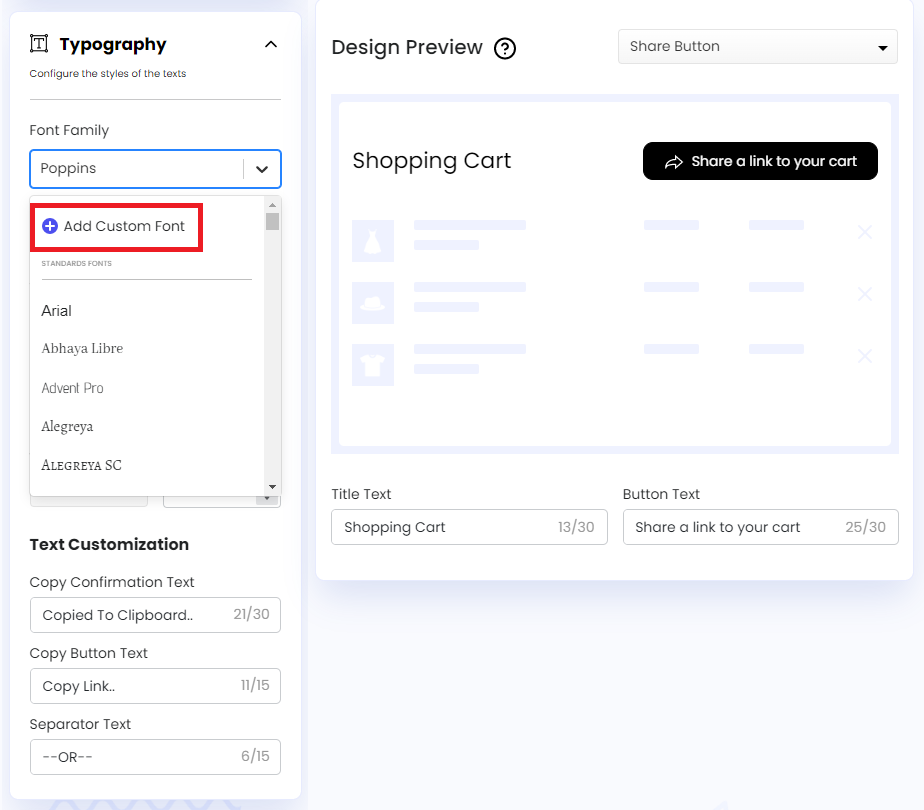
- Font Family: Let us edit the font style of all the Share Button and Pop-Up texts at once. We can also add a font style of our own by clicking the Add Custom Font option from here.
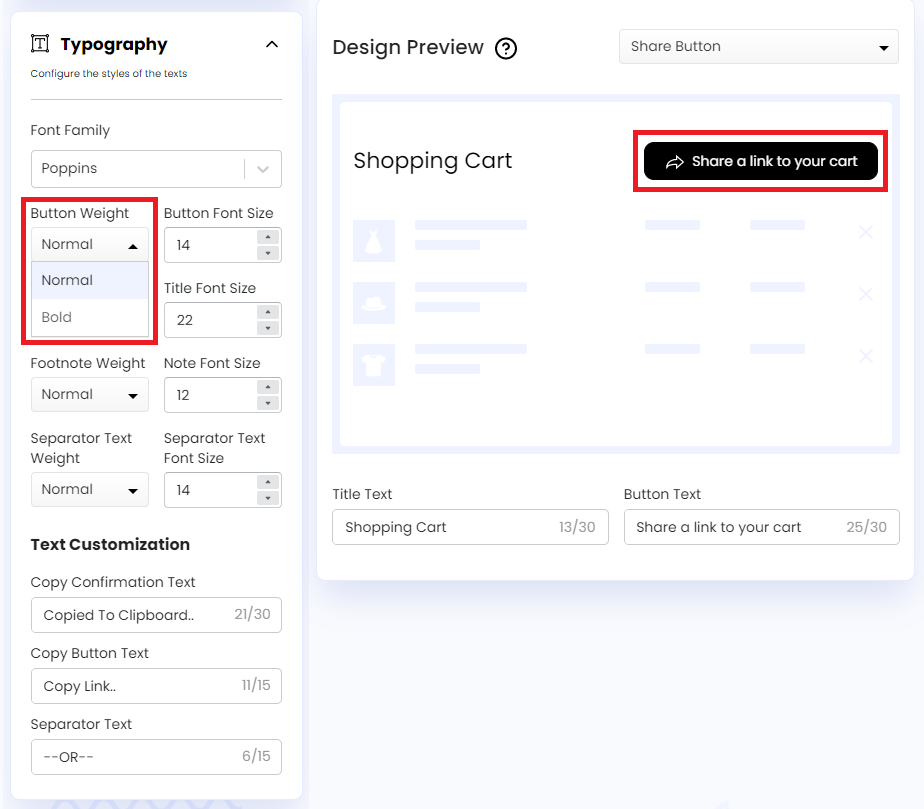
- Button Weight: Let us edit the font weight of the Share Button text. We can keep the font weight Normal or set it to Bold.
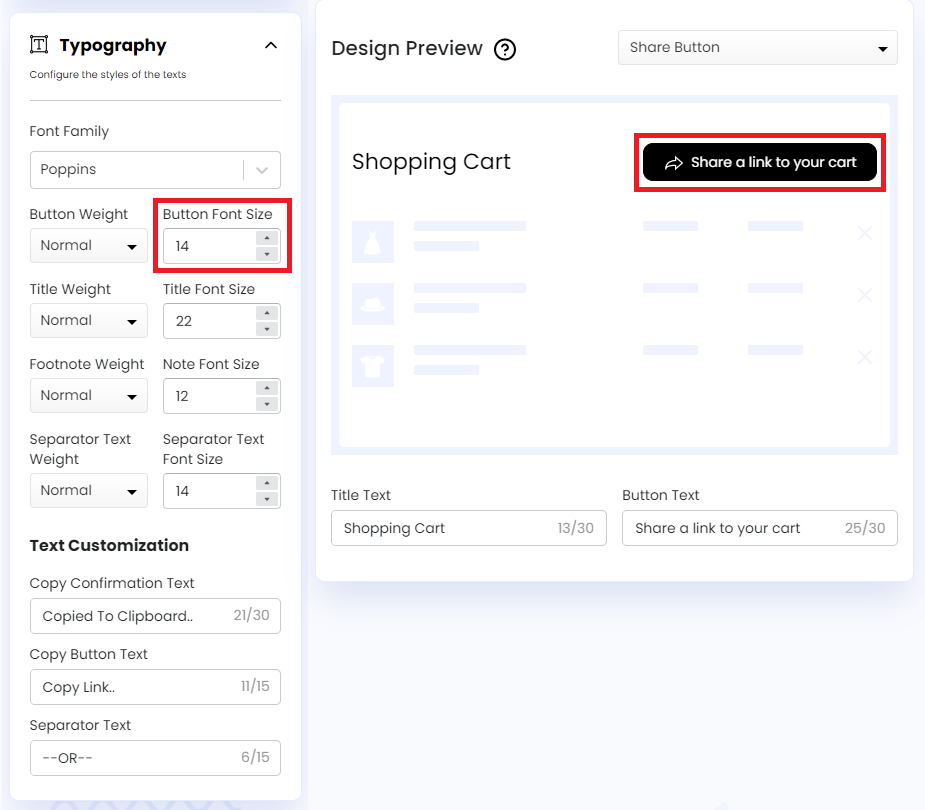
- Button Font Size: Let us edit the font size of the Share Button text. We can change the font size by clicking the up and down arrow or can enter a font size directly into the input field.
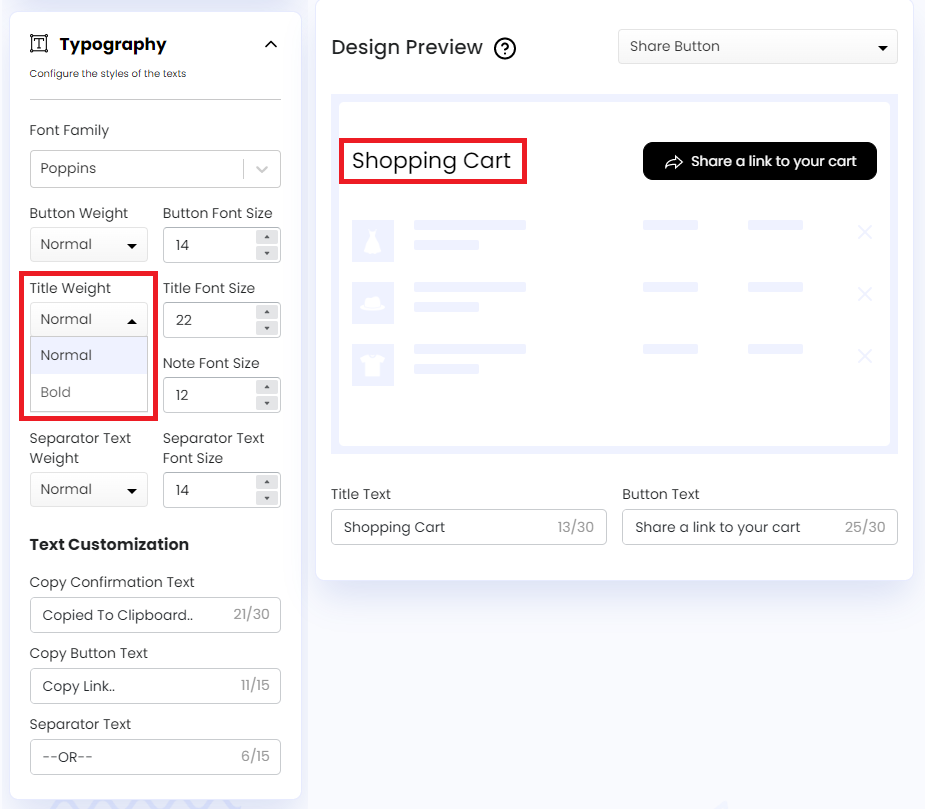
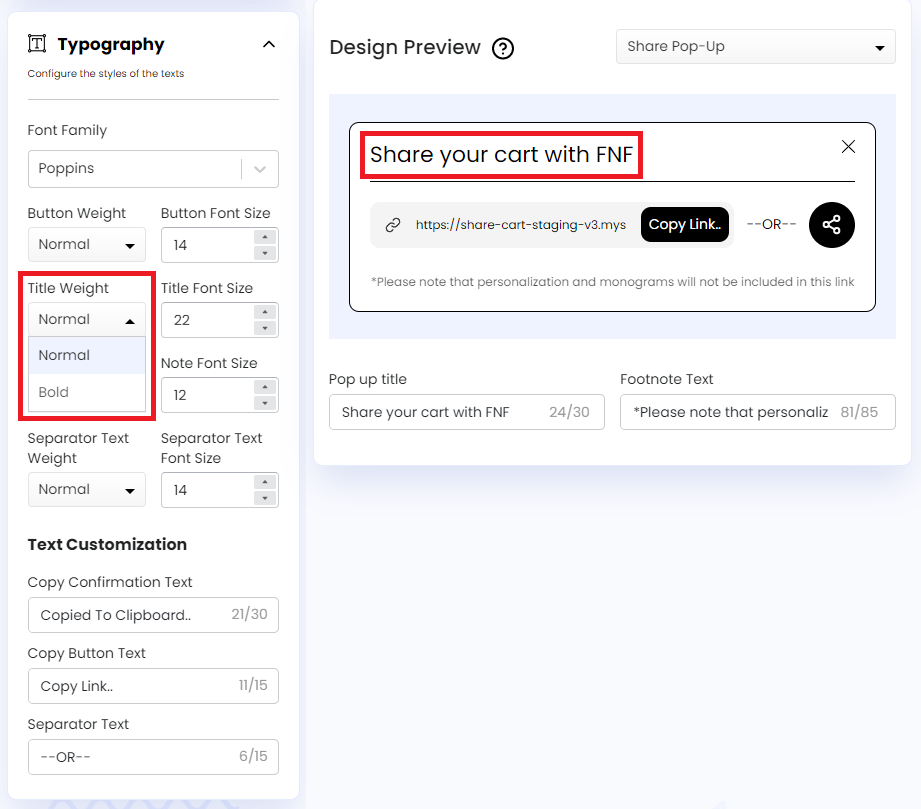
- Title Weight: Let us edit the font weight of the Share Button and Pop-Up title text. We can set the Title Weight to Normal or Bold.
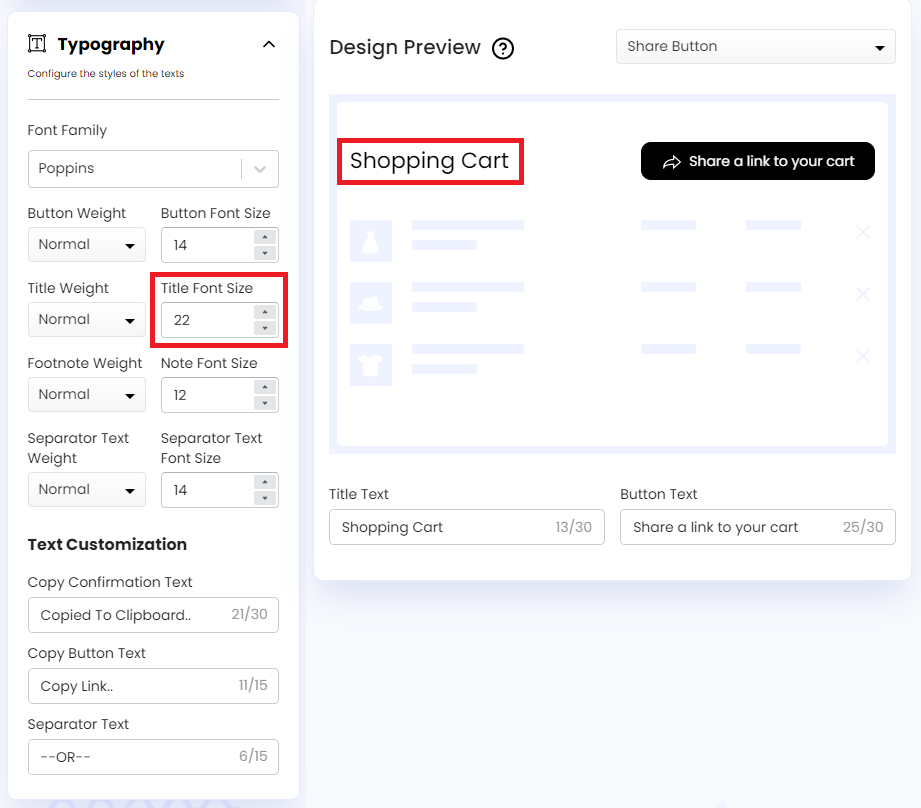
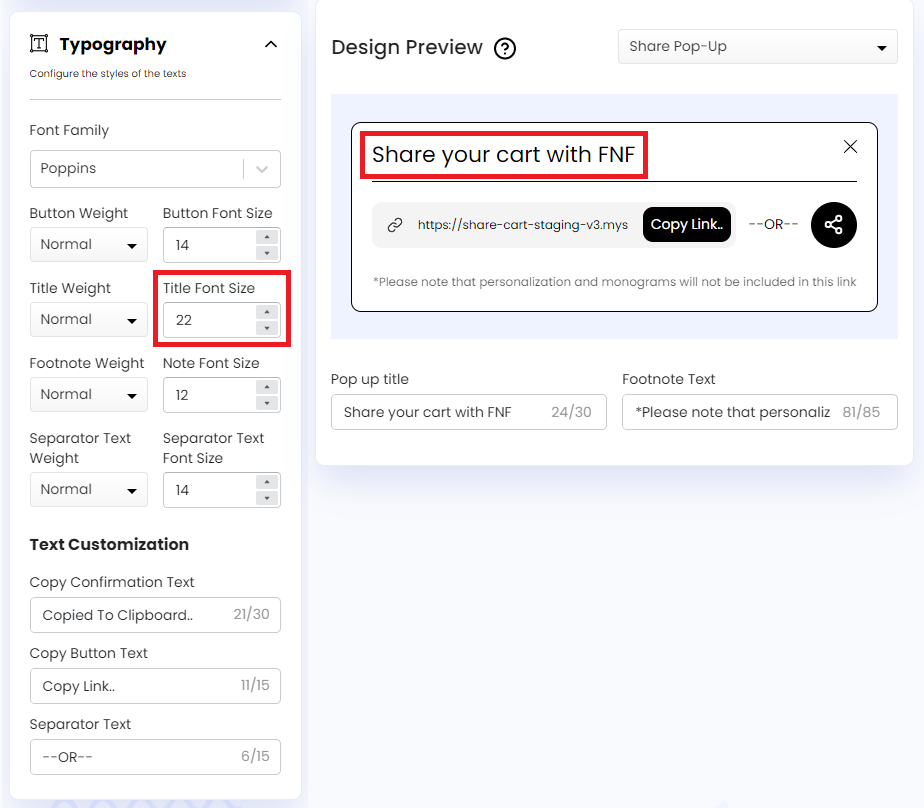
- Title Font Size: Let us edit the font size of the Share Button and Pop-Up title text. We can change the font size by clicking the up and down arrow or can enter a custom font size in the input field.
- Footnote Weight: Let us edit the font weight of Share Pop-Up’s footnote text. We can either set it to Normal or Bold.
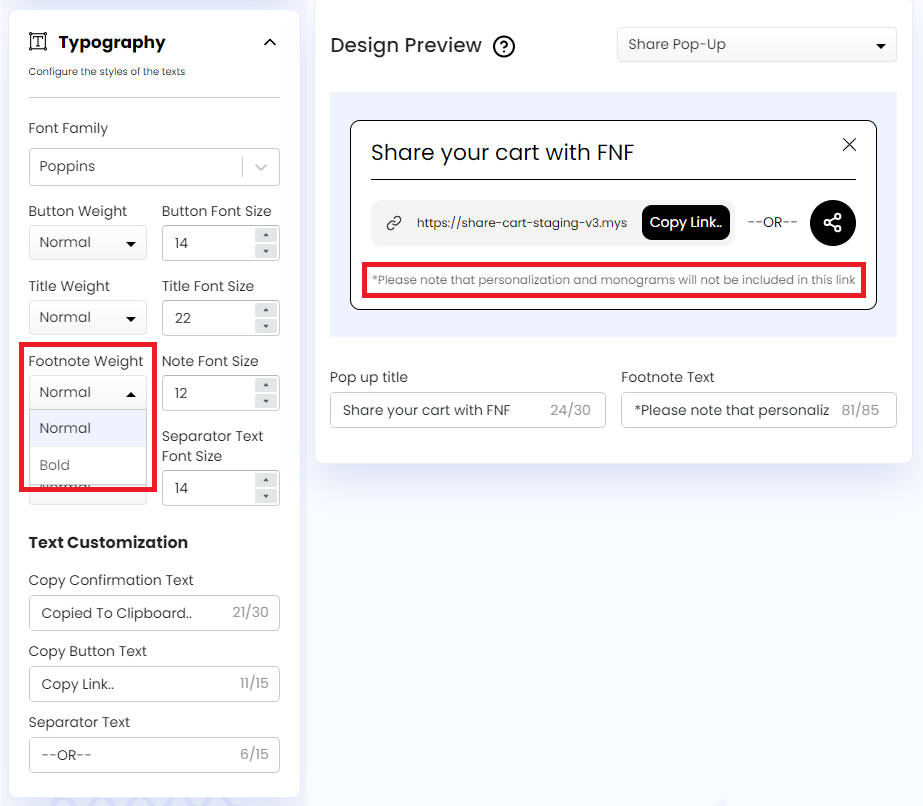
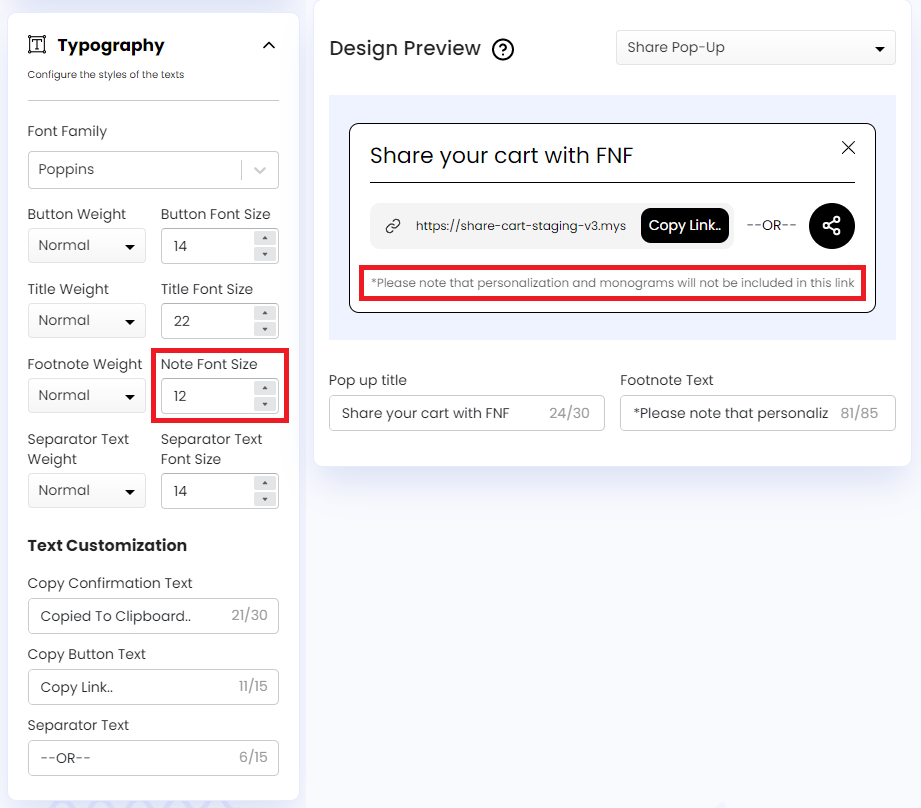
- Note Font Size: Let us edit the font size of Share Pop-Up’s footnote text. We can enter a custom font size in the input field or change it using the up and down arrow.
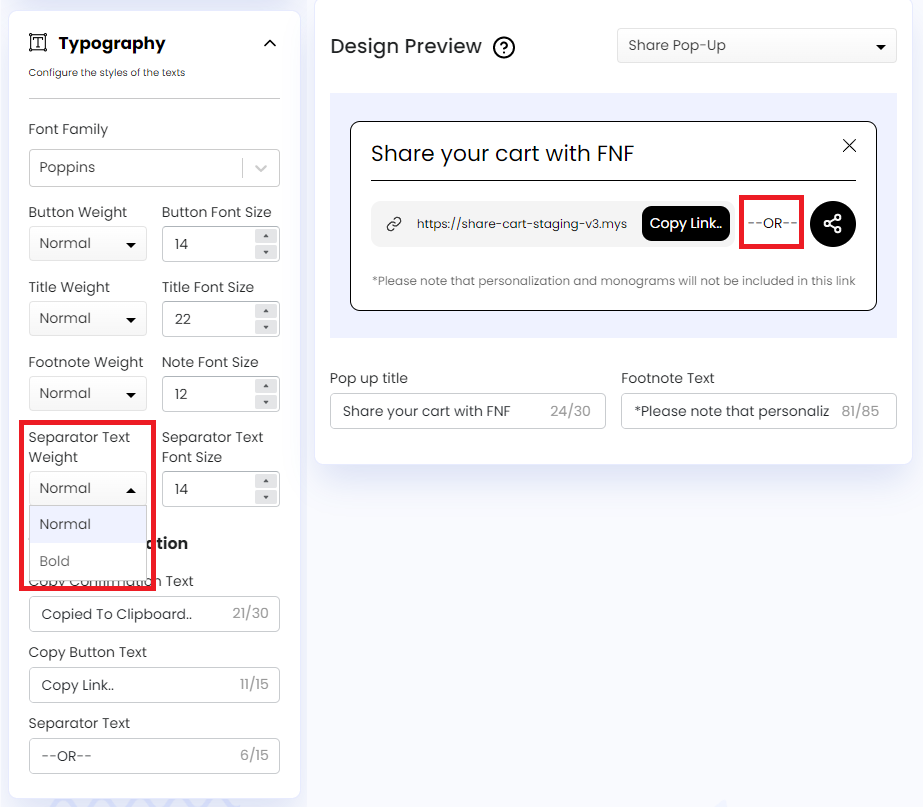
- Separator Text Weight: Let us edit the font weight of the text between the Copy Button and the Toggle Button in the Share Pop-Up.
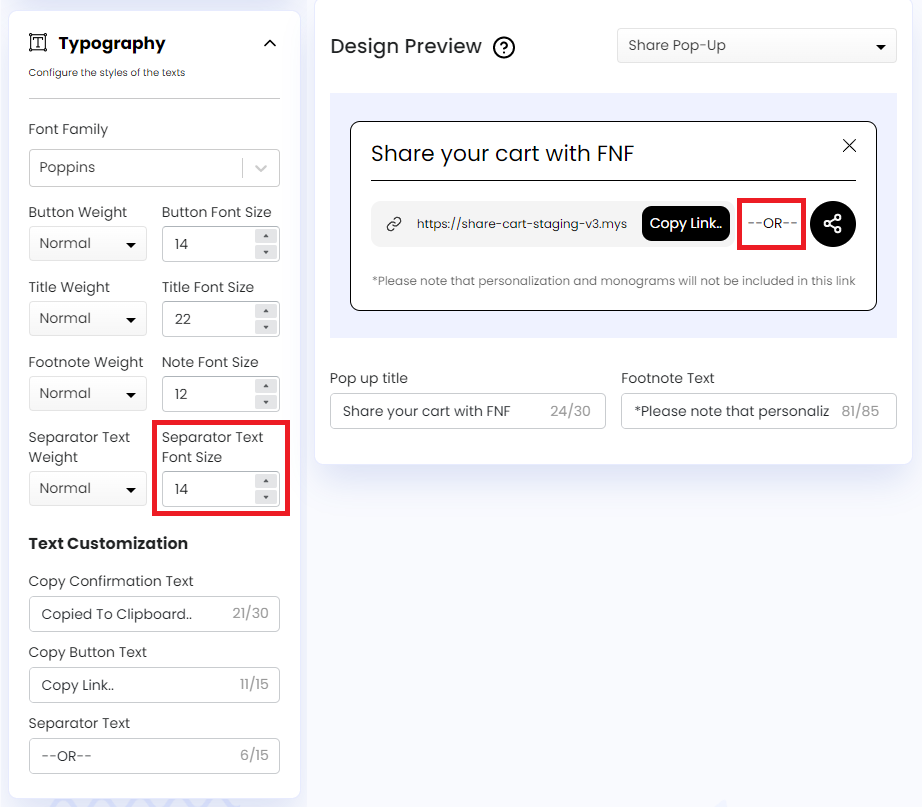
- Separator Text Font Size: Let us edit the font size of the text between the Copy Button and the Toggle Button in the Share Pop-Up.
Text Customization#
The Text Customization feature under Typography includes the following options:
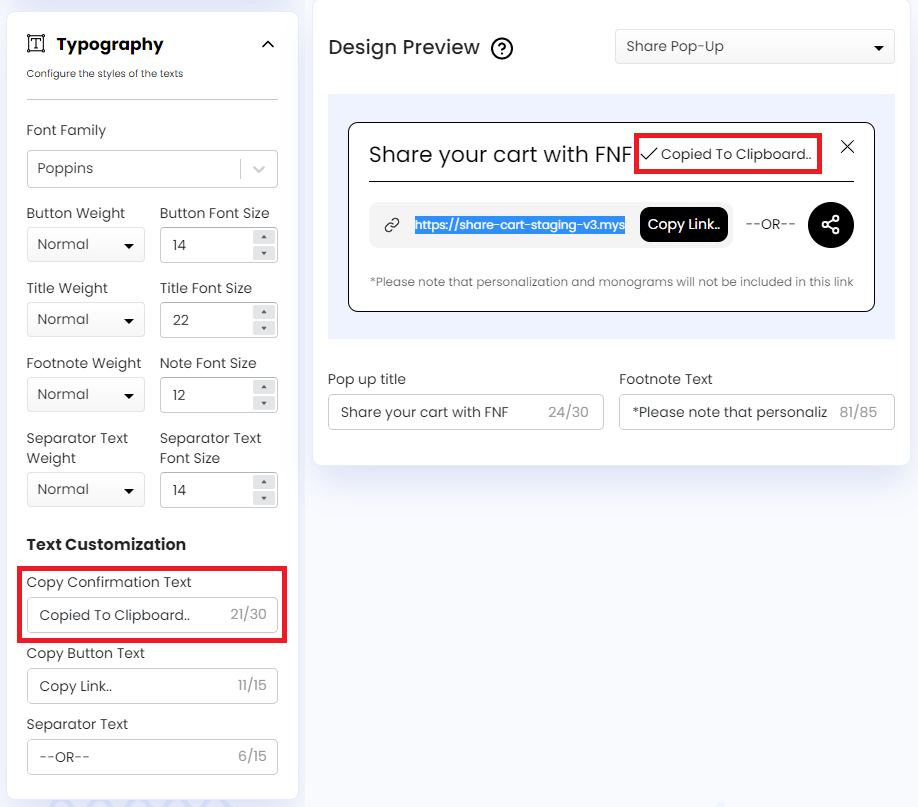
- Copy Confirmation Text: Let us customize the confirmation text that shows up to let customers know their cart link has been successfully copied when they click the Copy Button.
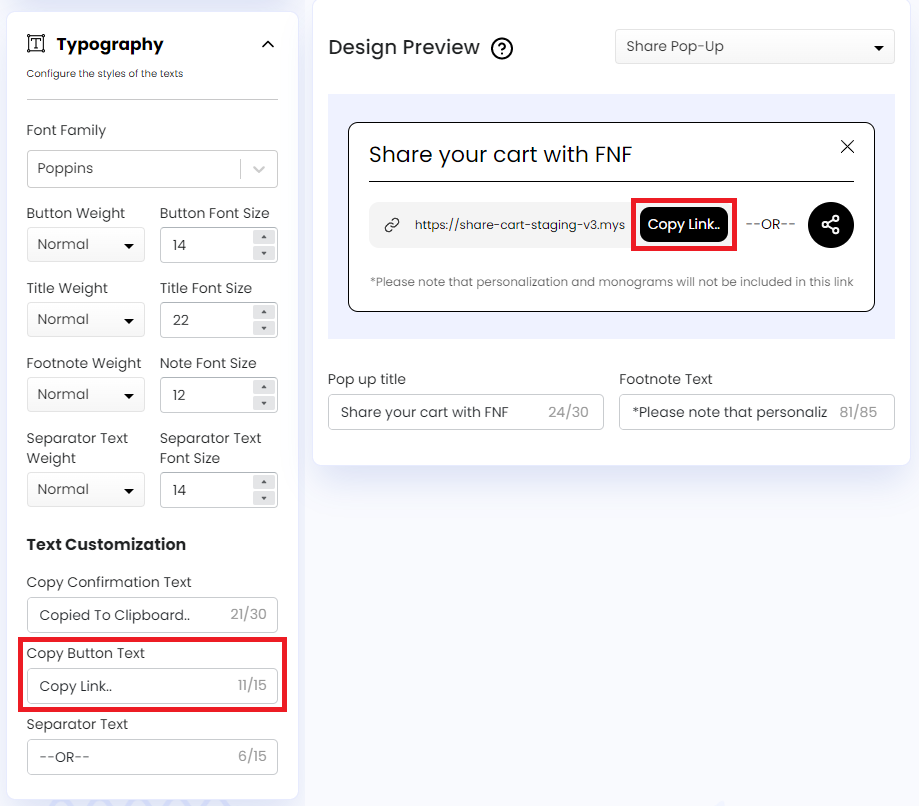
- Copy Button Text: Let us customize the text on the Copy Button that customers have to click to copy their cart link.
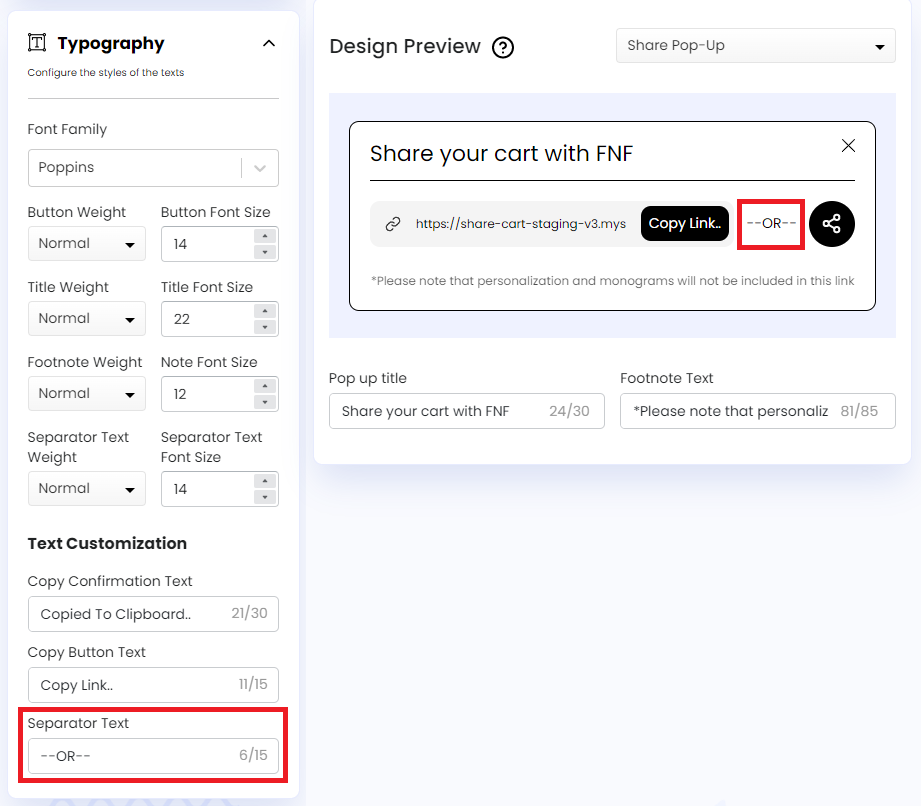
- Separator Text: Let us customize the text between the Copy Button and the Toggle Button in the Share Pop-Up.
We hope you make the most of the customization features of our Typography section to match your requirements.
If you have any questions, contact us via live chat or email at support@bevycommerce.com.