Referrer Incentive Banner
The Referrer Incentive Banner appears inside the Share Pop-Up when shoppers click the Share Button. It shows what the shopper saves by sharing, what their friend saves, and the checkout conditions each of them must meet to get the discount.
The image below is the Design Preview of the Share Pop-Up in the app, next to the Discount Details card. It shows how the banner looks to shoppers.
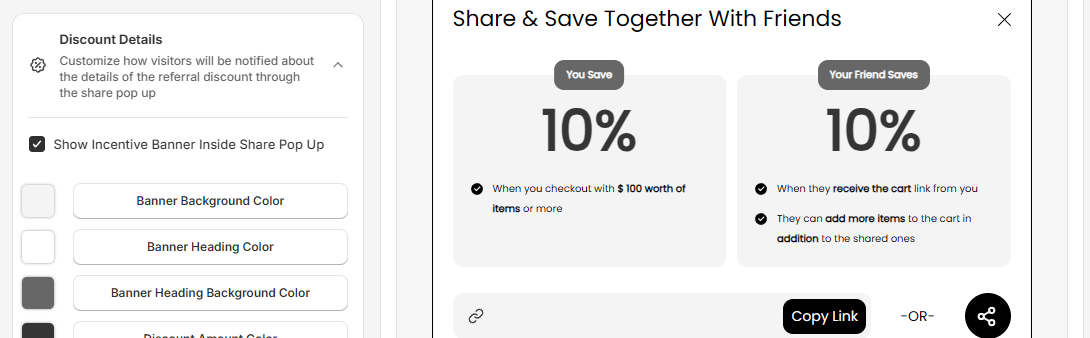
In this example, both discounts are 10%, and the referrer must check out with $100 worth of items. Your banner shows your own title, discount amounts and conditions.
You turn on and style this banner in the Discount Details card under Incentive Design. To learn how, read Discount Details.
Note: Incentives are part of the Pro plan.
For any queries, reach out to us via live chat or email support@bevycommerce.com. We're always happy to help!